Creating an Exam
Build an exam paper from your question bank and publish it to a class — with real screenshots for every step.
Exams are built from questions already in your question bank, so it helps to have a few ready first. Here's how to put a paper together.
 01
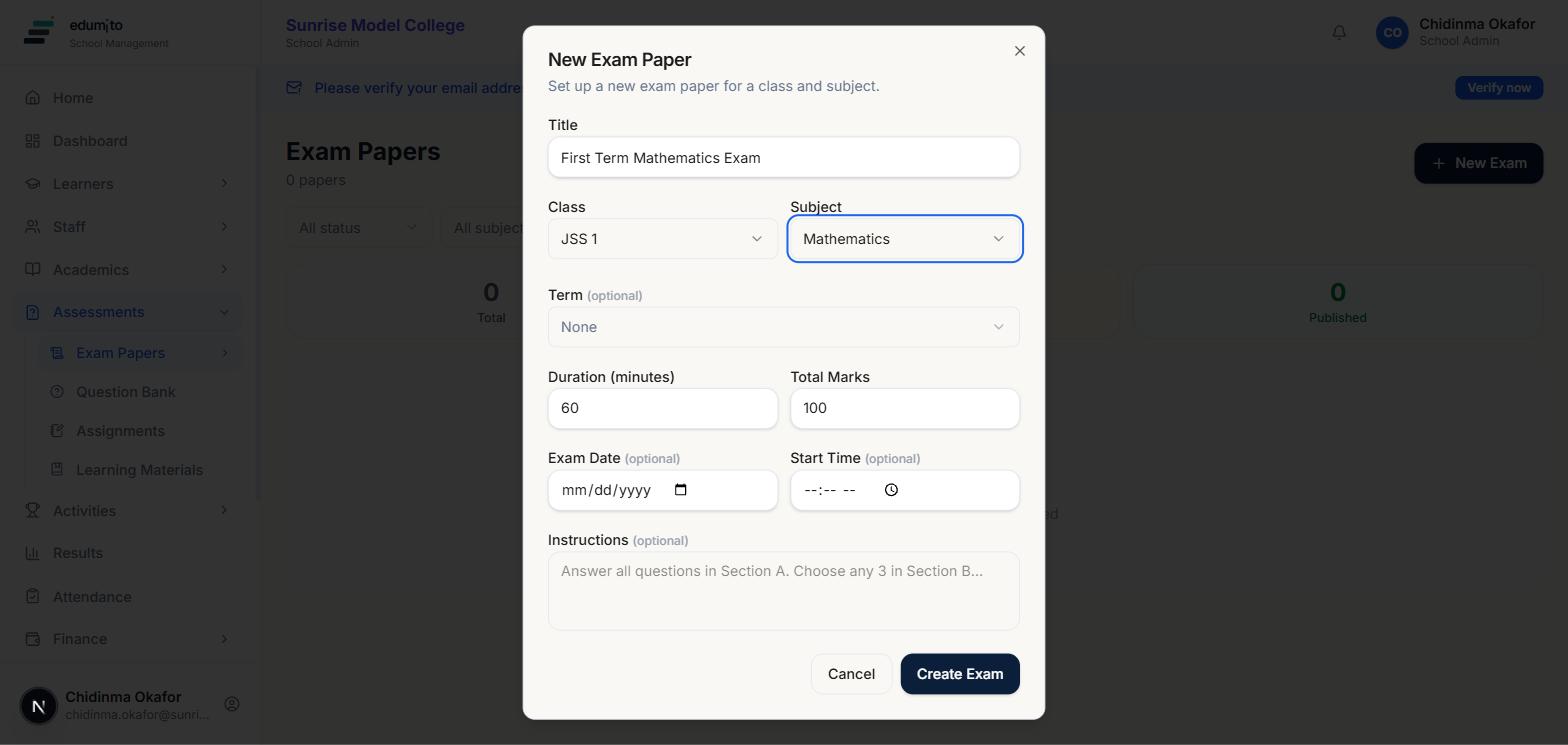
01Set up the exam paper
Go to Assessments → Exam Papers and click "New Exam". Give it a title, pick the class and subject it's for, and optionally attach it to a term. Set the duration and total marks, and add an exam date, start time or instructions if you'd like — these are all optional.
 02
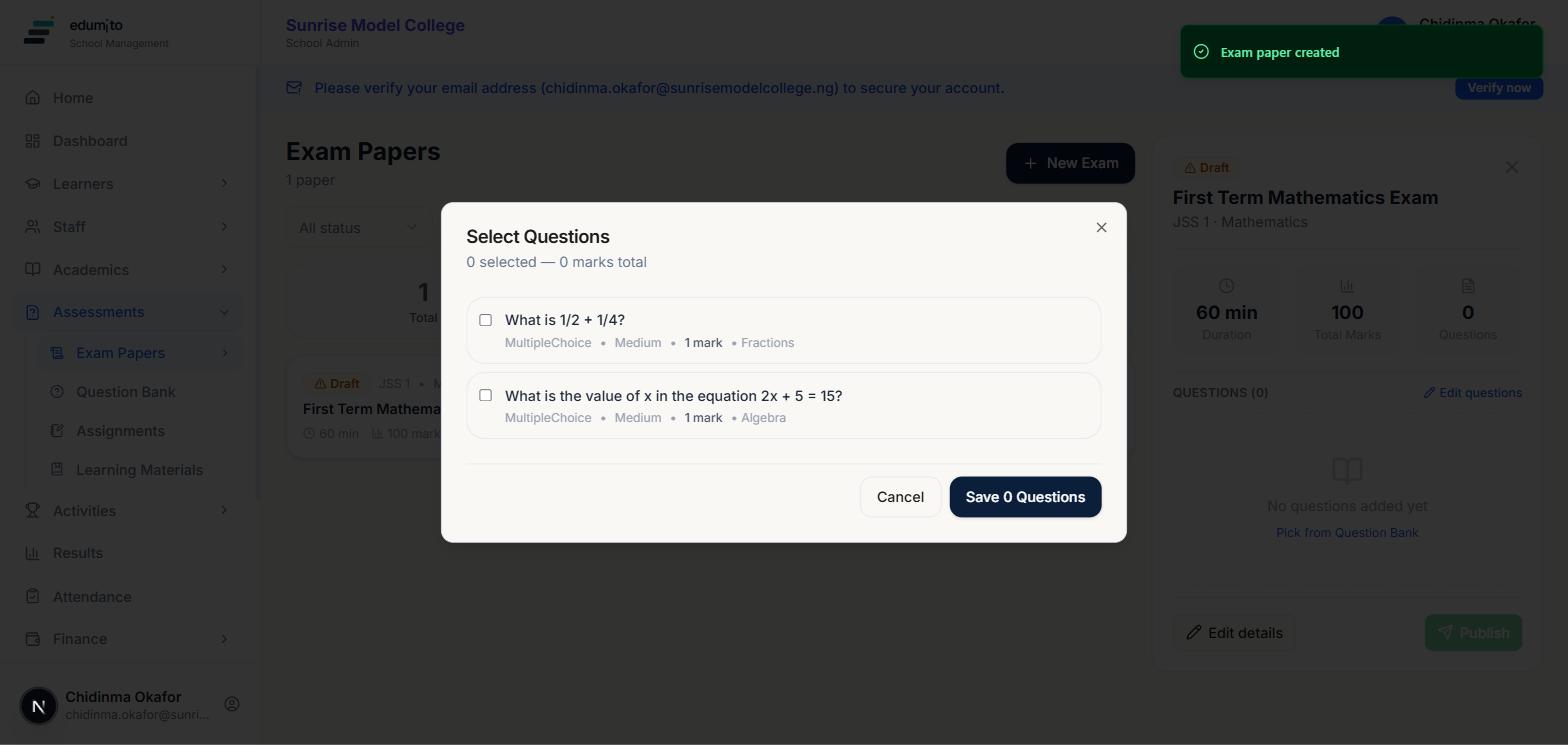
02Add questions from your question bank
Your new exam starts as a Draft with no questions. Click "Pick from Question Bank" and tick every question you want to include — Edumito shows each one's type, difficulty and marks so you can build a balanced paper, and totals the marks as you go.
 03
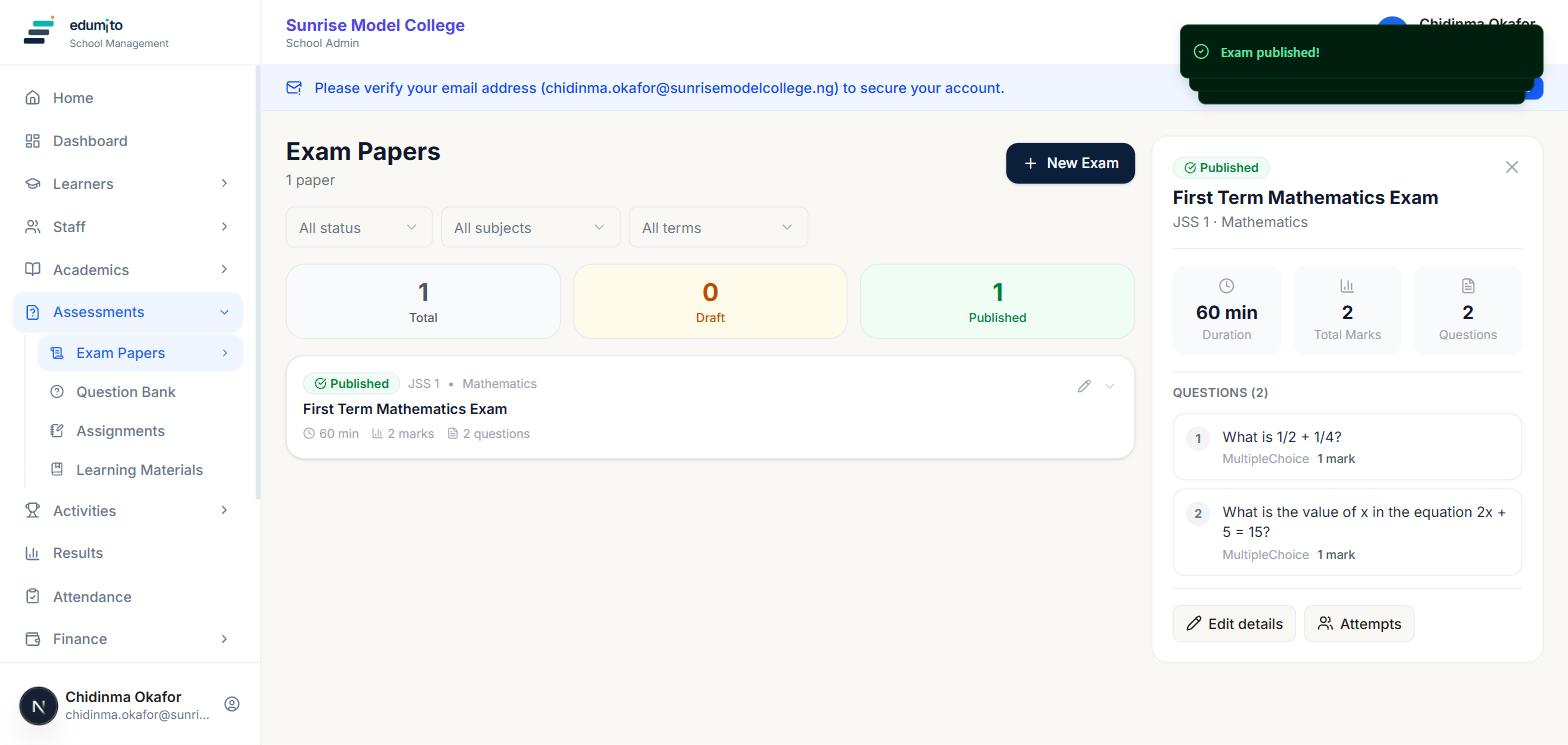
03Publish it
Once you're happy with the questions, click "Publish" — the exam moves from Draft to Published and becomes visible to students in that class. You can still track attempts from this same panel afterwards.