Creating a Fee Template
Set up the fees your school charges for a term — with real screenshots for every step.
Fee templates define what students in a term are charged, before any money changes hands. Here's how to build one.
 01
01Open Fee Templates
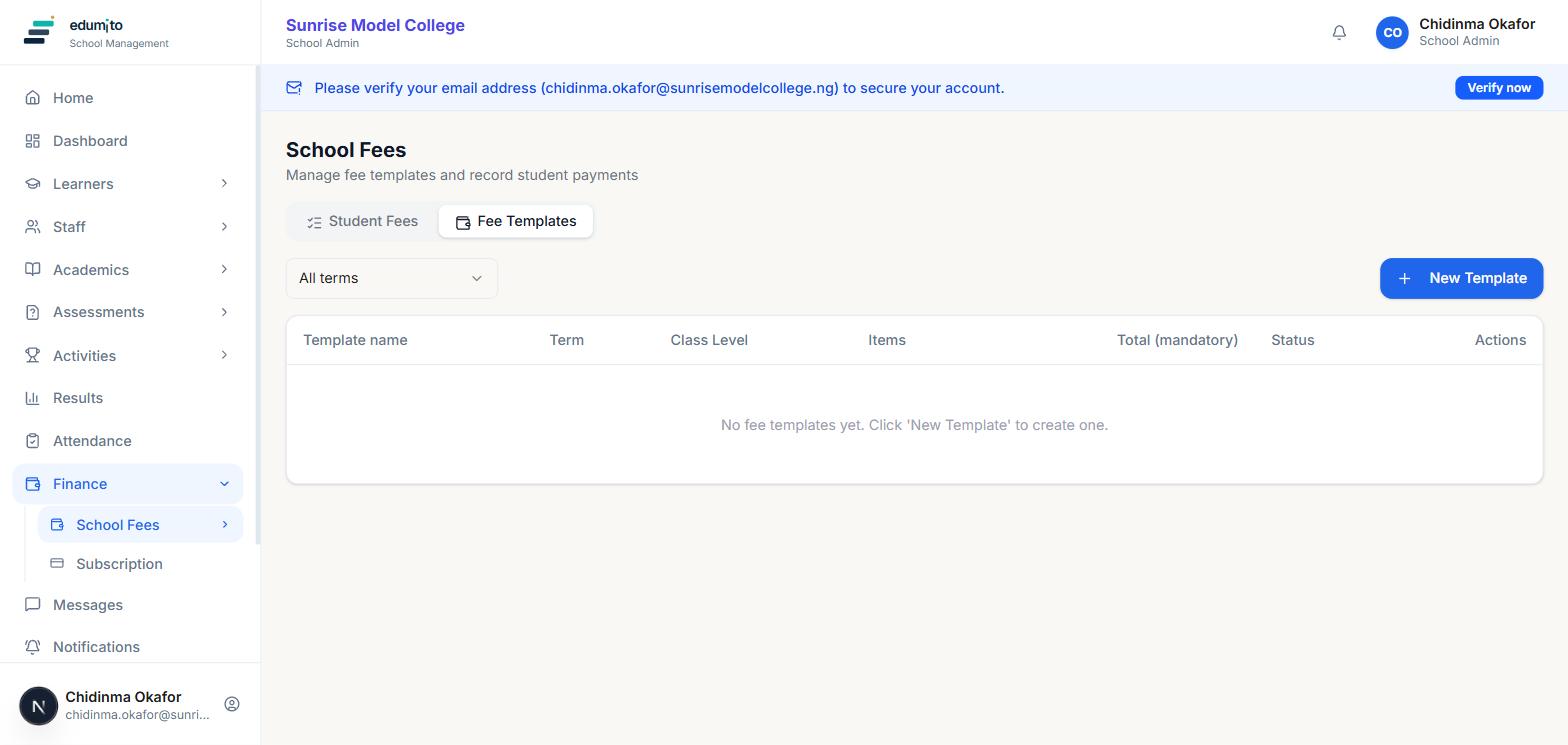
Go to Finance → School Fees, then switch to the "Fee Templates" tab. This is where you define what a term's fees look like before charging any student. Click "New Template" to create one.
 02
02Name it and add fee items
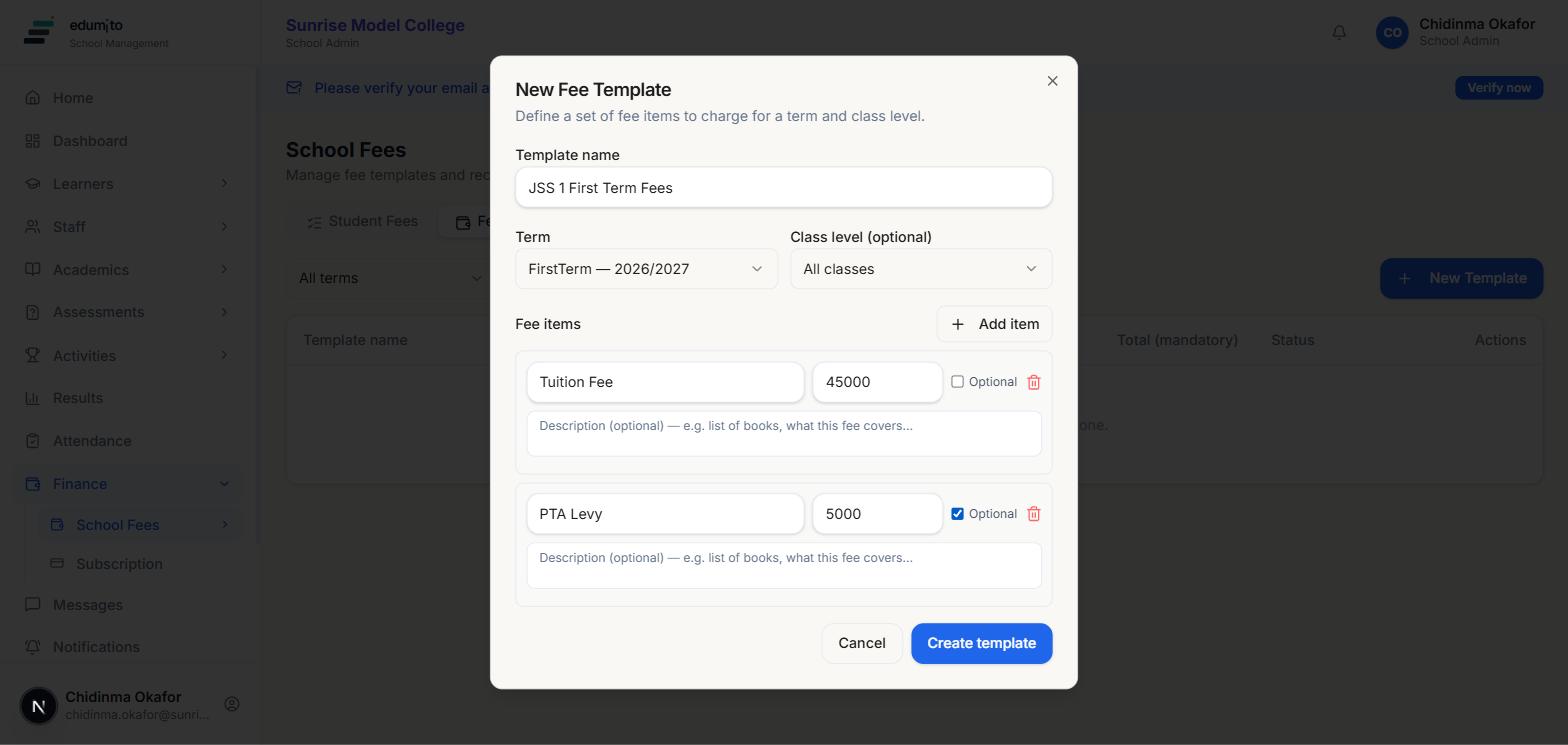
Give the template a name, pick which term it applies to, and optionally restrict it to one class level. Then add fee items one at a time — a name, an amount, and an optional description. Mark an item "Optional" if it shouldn't count toward the mandatory total, like a PTA levy some parents choose to pay and others don't.
 03
03It's ready
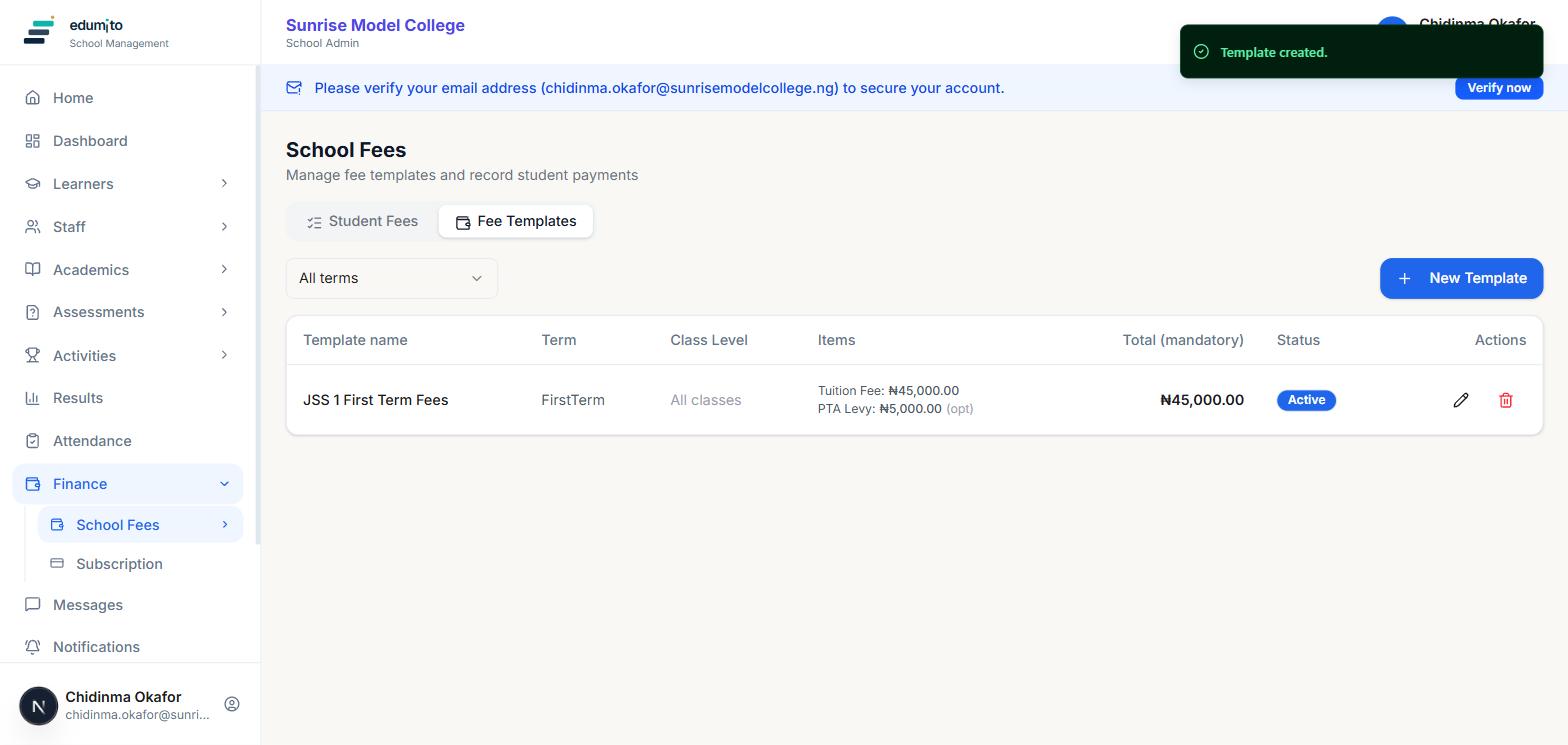
Your template now appears in the list with its total mandatory amount and status. From here, Edumito uses this template to generate fee accounts for students in that term — head to the "Student Fees" tab and click "Generate Accounts" to apply it.