Creating Staff & Parent Accounts
Add teachers, other staff and parents — login credentials are generated and emailed automatically.
You never need to set or share a password for someone else's account. Here's how account creation works, whether it's a teacher or a parent.
 01
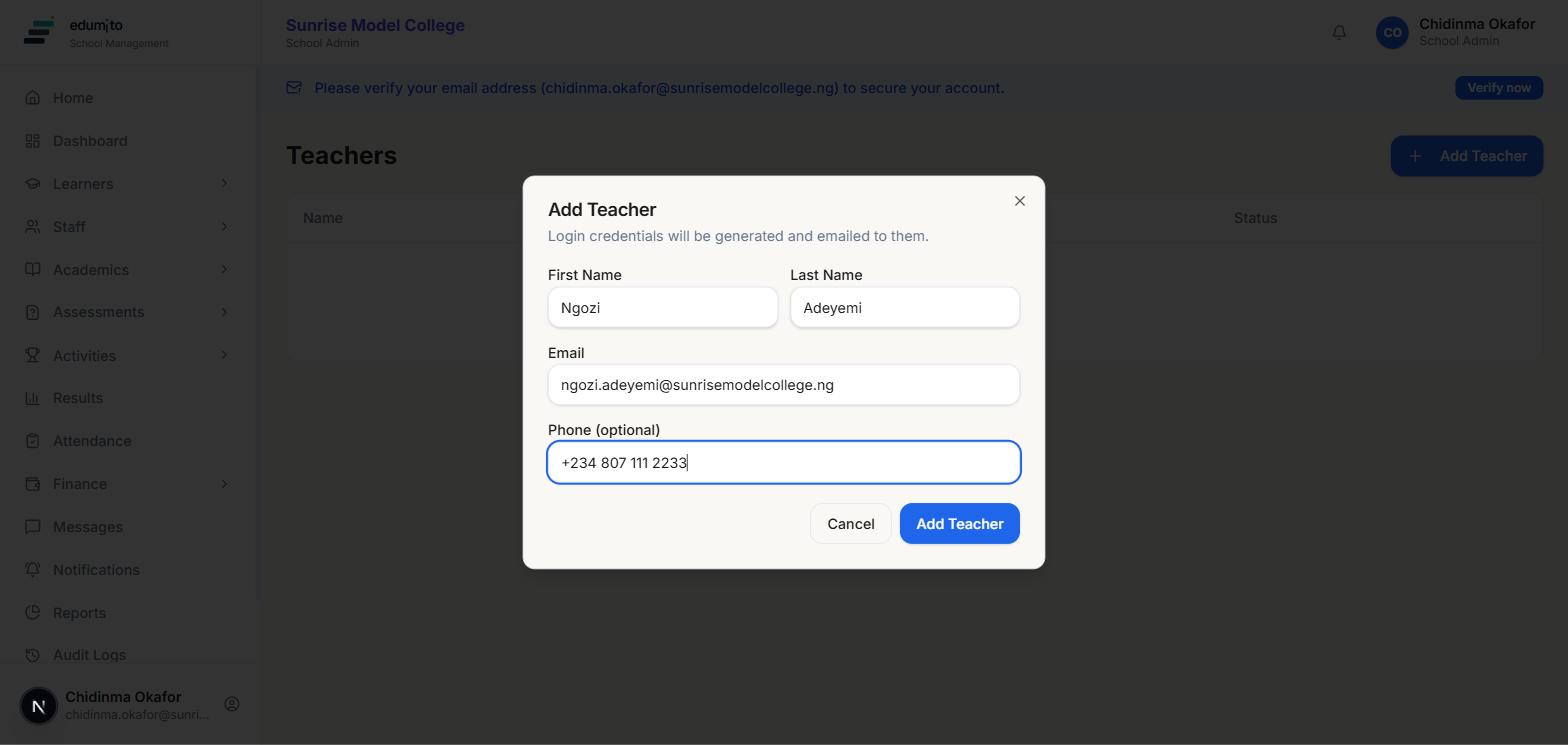
01Add a teacher
Go to Staff → Teachers and click "Add Teacher". Fill in their name, email and phone number — that's it. You never set a password yourself: as soon as you submit, Edumito generates a secure one and emails it to them directly, along with their login email.
 02
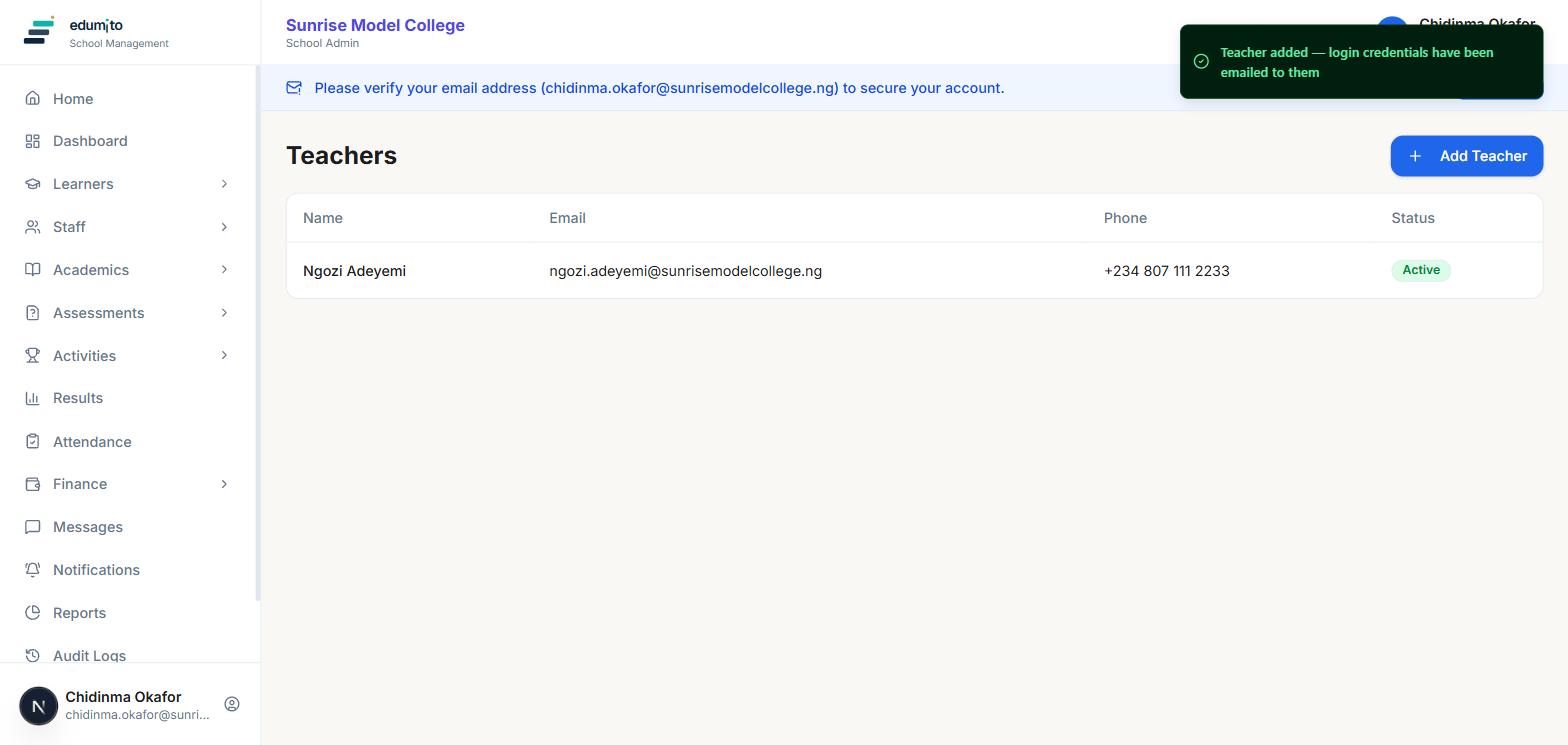
02They're added
The new teacher appears in your staff list immediately, marked Active. They'll receive an email with their login details and will be asked to choose their own password the first time they sign in — so you never need to know or manage anyone else's password.
 03
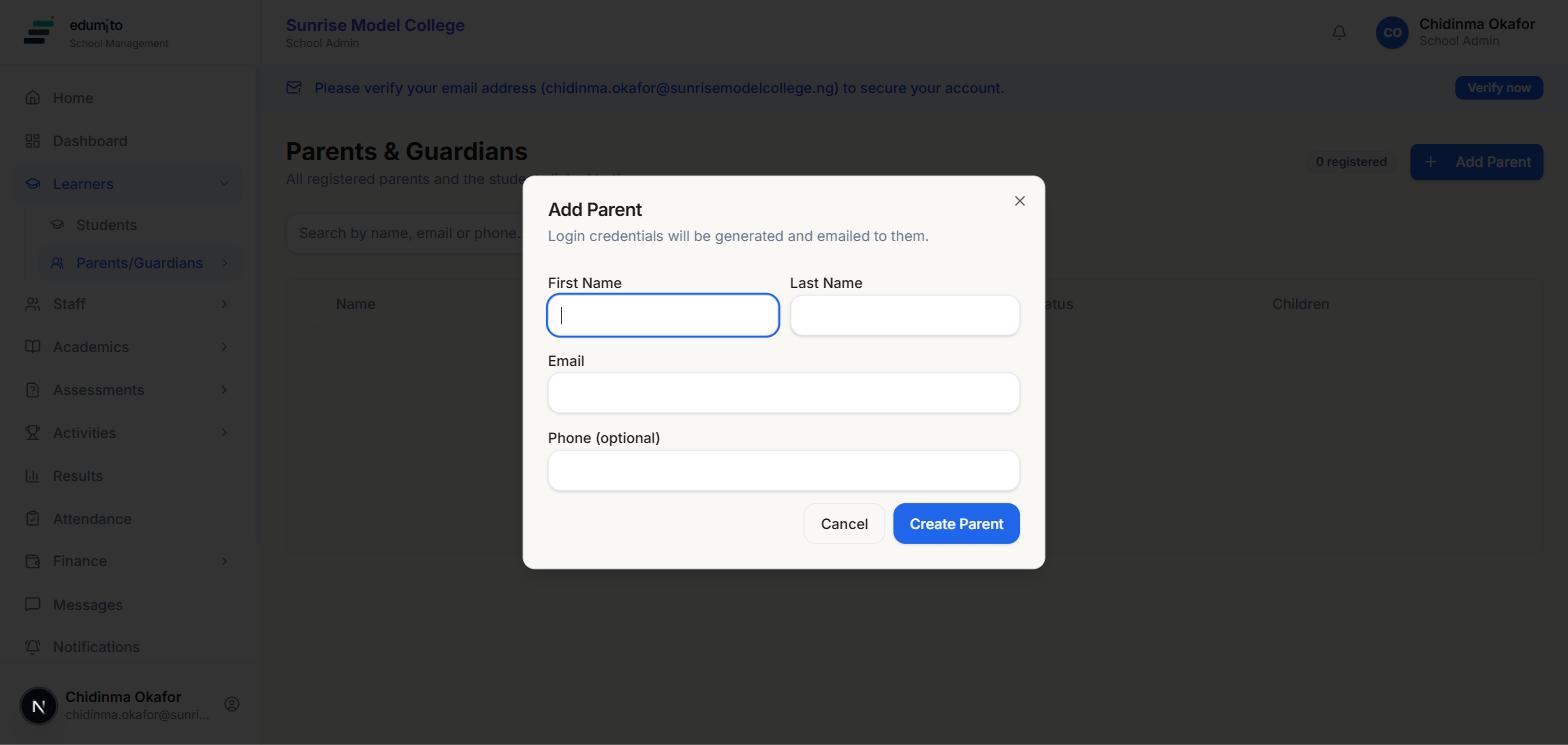
03Adding a parent works the same way
Go to Learners → Parents/Guardians and click "Add Parent" — the same pattern applies: name, email, phone, and Edumito handles the rest. Once created, you can link the parent to their child's student record from the parent's profile.